PGN analyzer
Paste any PGN. Get a full Stockfish 19 review in seconds.
Analyze over-the-board tournament games, DGT exports, study lines, or games from any chess platform. Paste your PGN below for move-by-move grades, plain-English reasons, turning points, and a shareable game report — entirely in your browser.
No account required. Pasted PGNs never leave your device.
- No upload
- Any valid PGN
- Shareable report
How to analyze a PGN
- Paste your PGN. Copy the move text from your tournament software, DGT board, scoresheet app, or another chess site and drop it into the box above.
- Watch the review run live. The board opens immediately while Stockfish 19 evaluates every position right on your device — no upload and no server queue.
- Explore and export. Review the turning points, play out alternative variations on the live board, and save the full report as a single shareable image.
Built for over-the-board and offline games
Most online review tools force you to import from their own ecosystem. Scoresheet treats any valid standard chess PGN as a first-class game:
Nine familiar move grades
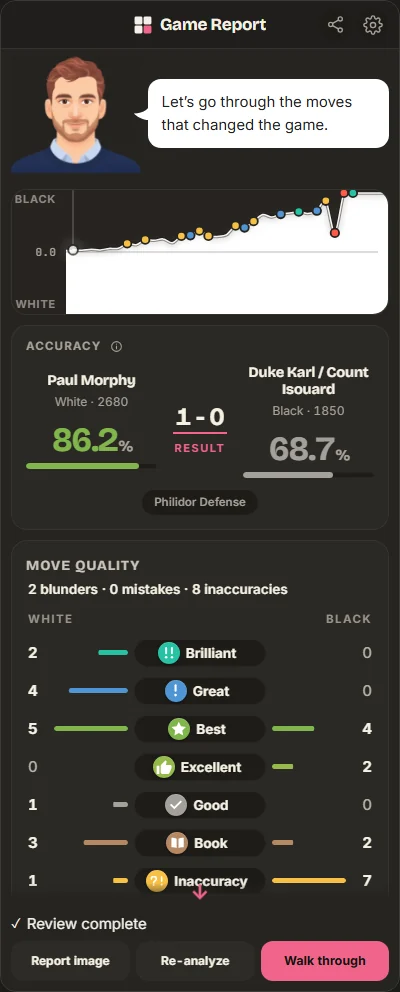
Every move is graded on the nine-grade scale: Book, Brilliant, Great, Best, Excellent, Good, Inaccuracy, Mistake, Blunder.
Plain-English move reasons
See a clear sentence explaining why a move worked or failed, alongside the stronger continuation whenever you gave ground.
Accuracy by game phase
Track your accuracy across the opening, middlegame, and endgame, plus an overall scorecard for both sides.
Turning points, worst first
Jump straight to the decisive moments that flipped the game.
Interactive variations
Test the lines you calculated during the game directly on the board without overwriting the original PGN.
Export & share
Download the entire report — scorecard, evaluation graph, move grades, and turning points — as one clean image, or copy a link to any position.
Runs in your browser
When you paste a PGN into Scoresheet, zero external chess API requests are made. The PGN is parsed locally, Stockfish 19 runs in WebAssembly on your device, and your game is never uploaded to a server. About 30 seconds for a typical game.
PGN analyzer FAQ
Can I analyze a game I played over the board?
Yes. Export the PGN from your tournament pairing software, DGT board, or scoresheet app and paste it in. You get the exact same accuracy scores, turning points, and move explanations as an online game.
What PGN formats are supported?
Any valid standard chess PGN — with or without header tags (Event, Site, White, Black, Elo) or clock annotations. If the moves are legal standard chess, Scoresheet will parse and grade the full game.
Where can I find my game’s PGN?
Open the game on the site or app where you played it and look for its export, share, or download option. Copy the PGN move text, then paste it into Scoresheet. If you played on Chess.com or Lichess, you can also import a recent public game using your username instead.
Is my PGN uploaded to a server?
No. Pasted PGNs stay entirely on your device. Stockfish 19 runs directly in your browser, and your recent reviews are stored only in your local browser storage.
Playing online? Try the chess.com game review, lichess game review, or brilliant move finder.

Scoresheet is built independently. If it helps your game, you can support the project.