How it works
How a game becomes a review, move by move
Scoresheet turns any chess game into a fast, readable breakdown — showing where the game shifted, why each move worked or failed, and what to play instead.
Step 1: Bring a game
Enter any public chess.com or Lichess username to load recent finished standard games directly from their public APIs — no login or password needed.
Prefer to review an over-the-board game, tournament export, or a game from another platform? Switch to PGN and paste it in. Any valid standard chess PGN gets the exact same review.
Step 2: The board opens live
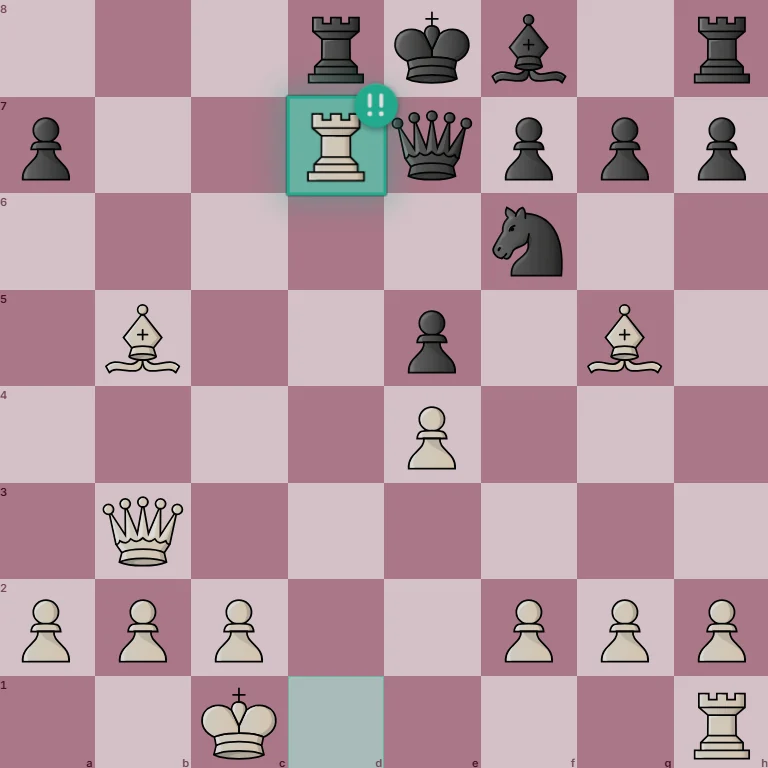
The moment you select a game or paste a PGN, the board opens and the review begins immediately — no waiting screen and no server queue.
The board stays interactive while the engine works. Step through moves, flip the board, or play out the variations you almost chose; your branches stay live without overwriting the game.
Step 3: Stockfish 19 runs on your device
Analysis is powered by Stockfish 19 compiled to WebAssembly, running in parallel web workers right inside your browser. Running locally keeps the interface responsive, eliminates server wait times, and keeps your games private on your device.
- Engine
- Stockfish 19 (WebAssembly)
- Execution
- Directly on your device in background workers
- Speed
- ~30 seconds for a typical 40-move game
- Account
- None required
Step 4: Every move gets a grade and a reason
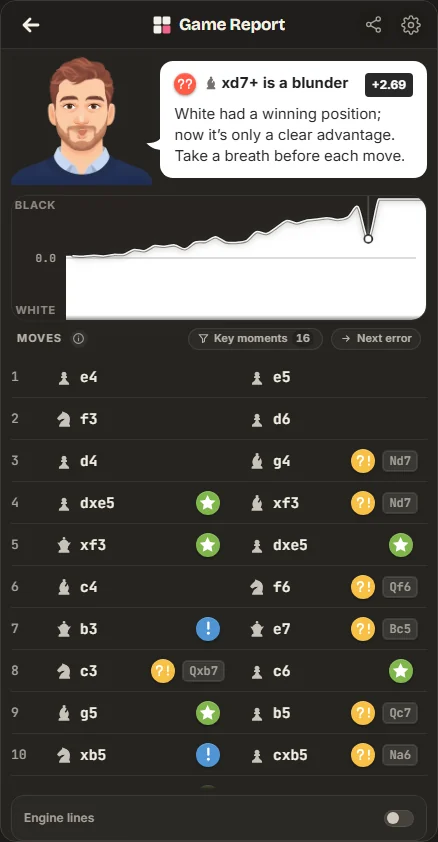
Each move is evaluated by how much winning chance it gained or lost, mapped onto the standard nine-grade scale players already know: Book, Brilliant, Great, Best, Excellent, Good, Inaccuracy, Mistake, Blunder.
Underneath every grade is a plain-English explanation of what the move did to the position — plus the stronger alternative whenever you gave ground. Known opening theory is marked as book moves so sound theory isn’t unfairly penalized.
Step 5: Your game report
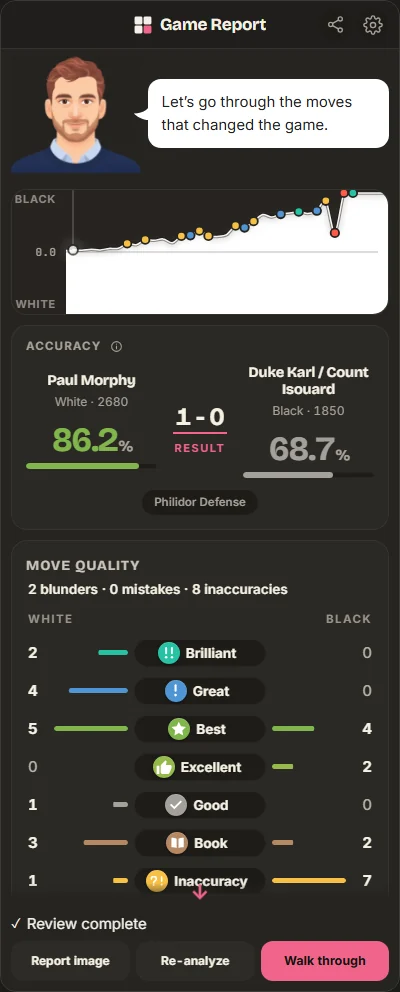
Once the moves are graded, Scoresheet assembles a complete report:
- Scorecard & accuracy for both sides, plus an estimated game rating.
- Evaluation graph tracking the momentum ply by ply.
- Phase breakdown showing your accuracy in the opening, middlegame, and endgame.
- Turning points, worst first, highlighting the decisive moments that swung the result.
Export the entire report as a single designed image to save or share, or copy a link that opens straight to the exact position you’re studying.
Step 6: Pick up where you left off
Your recent reviews are cached locally in your browser, so reopening a game loads the full report instantly — and clearing your browser’s site data wipes it clean whenever you want.
No account required. Paste a PGN or enter a username to start.